The Betzino login gives access to everything on the platform through a single set of credentials — slots, live casino, crash games, sports betting, esports, the cashier, active bonuses, and account settings. There is no separate login for different sections and no additional authentication step beyond email and password. One login, one account, everything accessible from the same dashboard.
For UK players, the most common situations are straightforward: you have an account and need to log in, you have an account and cannot get in, or you do not have an account yet and want to create one. This page covers all three — the login process itself, a registration walkthrough for new players, and troubleshooting for the issues that most commonly prevent access.
| Detail | Info |
|---|---|
| Login URL | Betzino homepage — “Log In” button, top right |
| Credentials | Email address + password |
| Two-factor authentication | Not available |
| Mobile login | Same credentials — browser-based, no app |
| Registration time | Under 5 minutes |
| Minimum deposit to play | £20 |
| Welcome bonus | 200% up to £200 on first deposit — activates automatically |
| Support if locked out | Live chat (English, not 24/7) + email |
How to Log In to Betzino
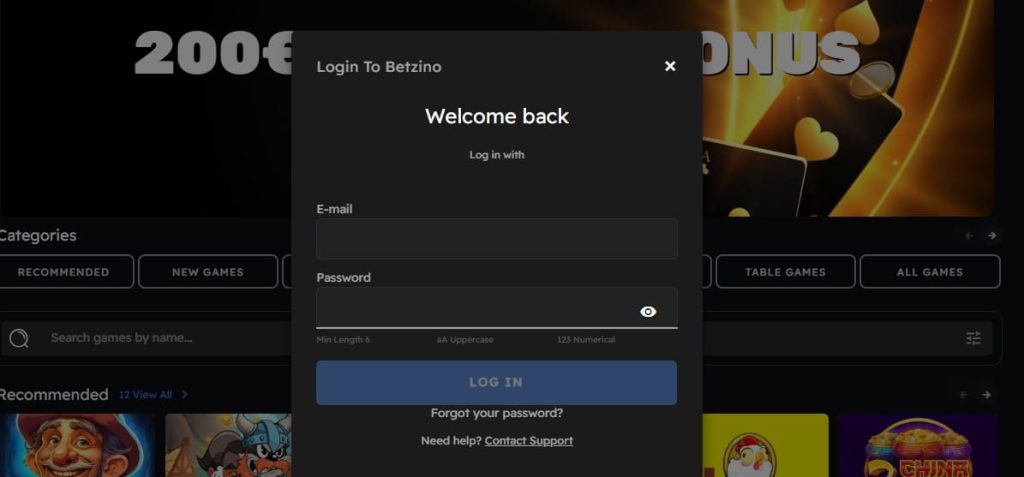
The login process takes less than ten seconds — there is no verification step, no CAPTCHA, and no two-factor authentication prompt between entering credentials and reaching the dashboard.
- Go to the Betzino website — the homepage loads in the English-language version by default for UK visitors
- Click “Log In” in the top right corner of the page
- Enter the email address used during registration
- Enter your password
- Click the login button — the dashboard loads immediately with access to all sections
The same credentials work on any device — desktop, smartphone, tablet — because Betzino operates entirely through the browser with no native app. Logging in on a phone uses the same email and password as logging in on a laptop. There is no device-specific registration, no download required, and no separate mobile login flow.
Betzino casino login on mobile
Open any mobile browser — Chrome, Safari, Firefox — navigate to the Betzino website, and tap “Log In” in the top right. The process is identical to desktop. For players who access Betzino regularly from their phone, adding the site to the home screen creates a shortcut that opens the login page directly without typing the URL each time. On Safari, this is done through the share menu and “Add to Home Screen”. On Chrome, through the three-dot menu and “Add to Home screen”.
Staying logged in
Betzino maintains login sessions for a period after the initial authentication — the exact duration depends on browser settings, cookie management, and whether the player has closed the browser completely between sessions. In practice, most players on personal devices find themselves still logged in when they return within a few hours. On shared or public devices, the session may expire more quickly, and logging out manually after every session is strongly recommended — there is no two-factor authentication to protect the account if someone else accesses the browser with an active Betzino session.
Don’t Have an Account? How to Register
A significant portion of players searching for the Betzino login are not returning players — they have seen the brand, decided to try it, and are looking for the entry point. If that describes your situation, registration takes under five minutes and follows the same flow as most Curaçao-licensed casinos.
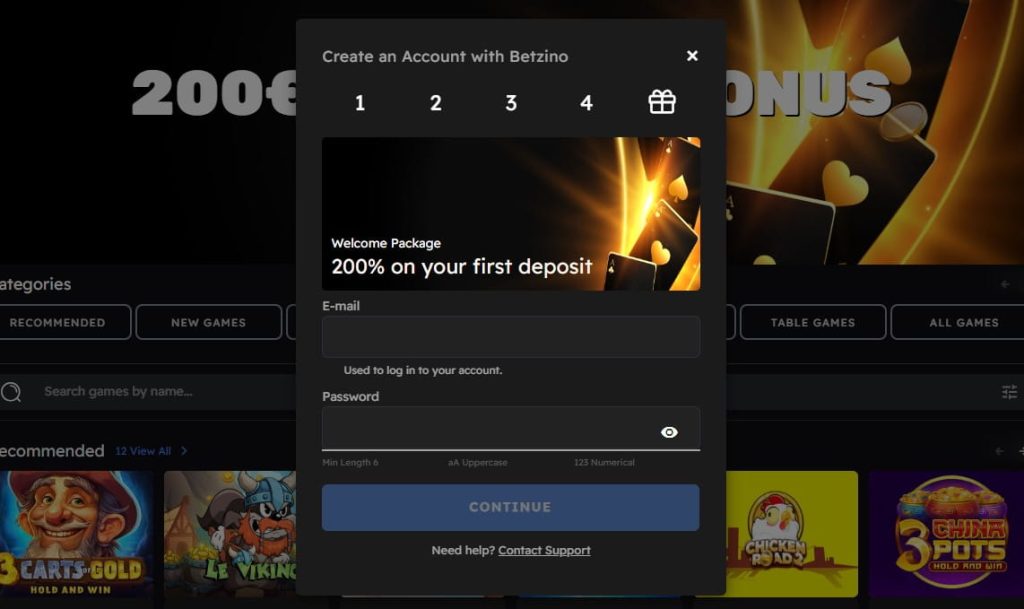
- Go to the Betzino website and click “Sign Up” or “Register” in the top right corner — directly next to the login button
- Enter your email address and create a password — this will become your login credentials, so use an email you check regularly and a password you do not use on any other site
- Fill in your personal details — full name, date of birth, phone number, and residential address. Use your legal name exactly as it appears on your passport or driving licence, because Betzino triggers KYC verification at the first withdrawal and any mismatch between registration details and ID documents delays the process
- Select GBP as your preferred currency — this cannot be changed after account creation, and choosing a different currency means paying a conversion spread on every deposit and withdrawal
- Accept the terms and conditions and confirm you are 18 or older
- Complete email verification through the link sent to your inbox — check spam if it does not arrive within a few minutes
- Make your first deposit of at least £20 to access the games and activate the 200% welcome bonus automatically
There is no promo code required for the welcome bonus — it activates on the first qualifying deposit without any additional input. The 200% match up to £200 means a £20 deposit produces £40 in bonus funds for a total of £60 to play with. Wagering is 35x the bonus amount — in this case, 35 × £40 = £1,400 in slot play before bonus winnings become withdrawable.
A note on the UKGC question
Betzino does not hold a UK Gambling Commission licence. Registration does not require GamStop verification, and the account is not connected to the UK self-exclusion network. For players who are currently self-excluded through GamStop and are considering Betzino as a workaround — the self-exclusion exists for a reason, and circumventing it is not a decision this page will encourage. For players who simply want to understand the regulatory position, the homepage covers the Curaçao licence in detail with the context it deserves.
Login Problems and Troubleshooting
Most Betzino login issues fall into one of five categories — all of them resolvable without contacting support, provided the account has not been suspended or closed for a policy reason.
| Problem | Likely Cause | Solution |
|---|---|---|
| “Incorrect password” error | Typo, caps lock, or password changed since last login | Use the “Forgot Password” link on the login screen — a reset email arrives within minutes |
| Reset email not arriving | Email provider filtering casino communications | Check spam, junk, and promotions folders. Gmail in particular routes casino emails to the Promotions tab rather than the primary inbox |
| “Account not found” error | Email address does not match any registered account | Verify the email — registration may have been completed with a different address. If uncertain, contact support rather than creating a duplicate account |
| Account locked after multiple failed attempts | Security measure triggered by repeated incorrect password entries | Wait 15–30 minutes before trying again, or contact live chat to have the lock removed manually |
| Page not loading or login button unresponsive | Browser cache, outdated browser, or ad blocker interference | Clear browser cache and cookies, disable ad blockers on the Betzino domain, and try again. If the issue persists, switch to a different browser |
Password reset — step by step
- Click “Forgot Password” on the login screen
- Enter the email address associated with the account
- Check your inbox for the reset link — if nothing arrives within five minutes, check spam and junk folders before requesting a second reset
- Click the link and create a new password — use a combination of upper and lowercase letters, numbers, and special characters that you are not using on any other site
- Return to the login screen and log in with the new password
The reset link has a limited validity window — typically 15 to 60 minutes. If the link has expired by the time you click it, request a new one rather than attempting to use the old link multiple times.
When to contact support
Most Betzino UK login issues are resolved through the password reset process or basic browser troubleshooting. Contact live chat or email support when the problem falls outside those solutions — specifically when the account appears to have been suspended, when the registered email address is no longer accessible, or when the login screen displays a message indicating the account has been restricted. Support operates in English and French but is not available 24/7 — if live chat is offline, email is the fallback and responses typically arrive within a few hours during operating days.
One scenario worth addressing directly: players who registered during a previous session, did not complete email verification, and cannot log in. The account exists but is inactive until the verification step is completed. Requesting a new verification email through support — or checking whether the original verification link is still in the inbox — resolves this without needing to re-register.
Account Security
Betzino does not offer two-factor authentication — which means the password is the only barrier between the account and unauthorized access. This is a genuine limitation compared to competitors that provide 2FA as an option, and it places the full responsibility for account security on the strength of the password and the habits of the player.
Password best practices
This is not generic advice — it is the single most important security measure available on a platform without 2FA:
- Use a unique password that is not shared with any other website, email account, or service. A Betzino-specific password means that a data breach on an unrelated platform does not expose the casino account.
- Make it long and unpredictable — at least 12 characters mixing uppercase, lowercase, numbers, and symbols. “Betzino2026” is not a secure password. A random string generated by a password manager is.
- Use a password manager if you are not already. Remembering a unique, complex password for every site you use is impractical — a password manager makes it effortless and eliminates the temptation to reuse passwords across services.
- Change the password immediately if you receive any notification about unusual activity, if you have logged in from a public or shared device, or if another service where you used a similar password has been breached.
Session management
Betzino maintains active login sessions based on browser cookies. On a personal device — your own phone, your own laptop — this is a convenience that avoids repeated logins. On any shared or public device, it is a security risk.
- Always log out manually when using a device that anyone else has access to — a shared household computer, a work laptop, a friend’s phone. The logout option is accessible from the account menu.
- Clear browser data after playing on a device that is not exclusively yours. Cached Betzino casino UK login sessions can persist even after closing the browser window if cookies are not cleared.
- Avoid saving the password in the browser on shared devices. Browser-stored passwords are accessible to anyone who opens the browser settings — which requires no technical skill beyond knowing where to look.
What to do if the account is compromised
If there is any indication that someone else has accessed the account — unrecognized Betzino English login activity, balance changes that do not match personal play, password reset emails that were not requested — the response should be immediate:
- Change the password from a trusted device
- Contact live chat or email support to report the suspected unauthorized access
- Request a review of recent account activity — deposits, withdrawals, and gameplay — to identify any transactions that were not initiated by the account holder
- If a payment method is stored in the account, contact the payment provider (bank, card issuer, e-wallet) to flag potential unauthorized use
Betzino’s support is not available 24/7, which means that an account compromise discovered outside of operating hours cannot be addressed in real time through live chat. In that situation, sending an email to support requesting an immediate account freeze provides a documented record of the report even if the response does not arrive until the next operating period.
Conclusion
The Betzino login is a straightforward process — email and password, no additional verification steps, no separate credentials for different sections of the platform. One login gives access to everything: slots, live casino, crash games, sports betting, the cashier, bonuses, and account settings. The same credentials work on desktop and mobile without any difference in functionality.
For new players who arrived at this page looking for the login and do not yet have an account, registration takes under five minutes and the 200% welcome bonus up to £200 activates automatically on the first £20 deposit — no promo code required. The four-deposit welcome package extends to £600 plus 100 free spins for players who continue beyond the first deposit.
The two things worth keeping in mind are both related to security. First, Betzino does not offer two-factor authentication, which makes password strength and uniqueness the only real protection for the account — a dedicated password manager and a Betzino-specific password are not optional precautions, they are necessary ones. Second, Betzino operates under a Curaçao licence without UKGC regulation, which means the account protections that UK players are accustomed to on licensed platforms — GamStop integration, fund segregation, IBAS dispute resolution — do not apply here. Both of these points are covered in detail on the homepage for players who want the full picture before depositing.
Frequently Asked Questions
How do I log in to Betzino from the UK?
Go to the Betzino website, click “Log In” in the top right corner, enter the email address and password used during registration, and click the login button. The dashboard loads immediately with access to all sections — slots, live casino, sports betting, cashier, and account settings. The same credentials work on desktop and mobile without any difference in the process.
I forgot my Betzino password — how do I reset it?
Click “Forgot Password” on the login screen and enter the email address associated with the account. A reset link arrives within minutes — check spam and junk folders if it does not appear in the primary inbox. Click the link, create a new password, and log in with the updated credentials. The reset link expires within 15 to 60 minutes, so use it promptly.
Why can't I log in to my Betzino account?
The most common causes are an incorrect password, a typo in the email address, an unverified account, or a temporary lock triggered by multiple failed login attempts. Try the password reset process first. If the issue persists — or if the login screen displays a message about a restricted or suspended account — contact live chat or email support for assistance.
How do I create a Betzino account?
Click “Sign Up” on the Betzino homepage, enter your email and create a password, fill in your personal details — name, date of birth, phone number, address — select GBP as your currency, accept the terms, and complete email verification. The process takes under five minutes. The 200% welcome bonus up to £200 activates automatically on the first deposit of £20 or more — no promo code needed.
What do I get access to after logging in?
A single Betzino login provides access to the full platform — 1,000+ slots from 26 providers, live casino tables, crash games, sports betting, esports, the cashier for deposits and withdrawals, active bonus tracking, the promotions page, and account settings including responsible gambling tools. There are no separate logins for different sections.